Published on October 11, 2025 at 4:00 PMUpdated on October 11, 2025 at 4:00 PM
The relationship between humans and their computers has never been more intimate or more precarious than it is in 2025. Our devices are no longer just tools for work or entertainment; they are the vaults containing our financial identities, our private communications, and our professional legacies. However, as our dependence on technology grows, so does the sophistication of those who seek to exploit it. The malware of 2025 is a far cry from the loud, obvious viruses of the past. Today’s malicious software is designed for stealth, often operating silently in the background for months while it harvests data, mines cryptocurrency, or enlists your machine into a global botnet.
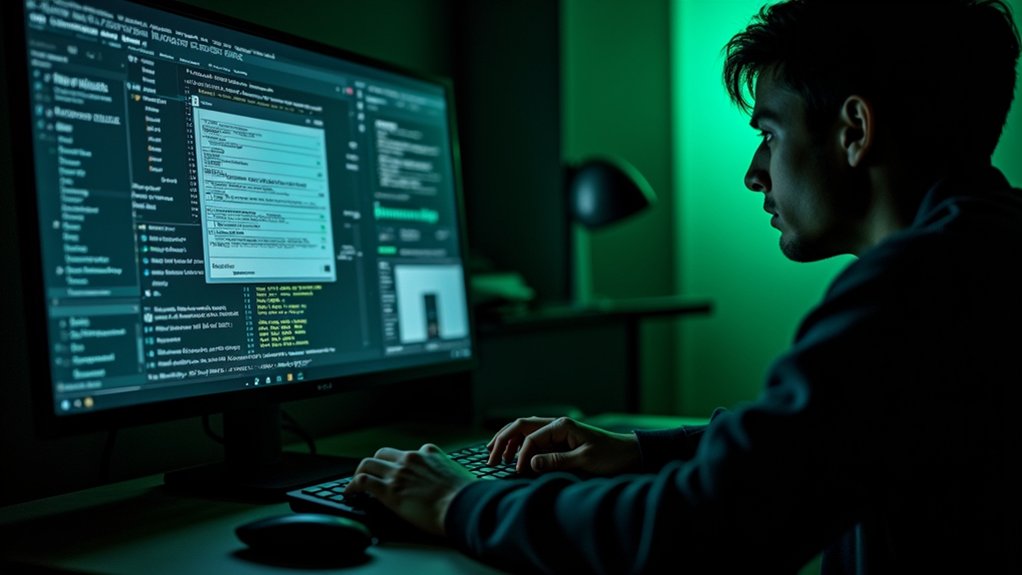
Signs your computer has malware (image: Abwavestech)
Recognizing a malware infection today requires a shift in perspective. It is no longer about waiting for a “blue screen of death” or a blatant ransom note. Instead, it is about identifying subtle anomalies in system behavior that suggest your hardware is being used for purposes other than your own. In an era where AI-driven threats can mimic legitimate system processes, being an informed user is your most powerful line of defense. This guide delves deep into the three most persistent and revealing signs of a compromised system, providing the technical context you need to reclaim your digital sovereignty.
The Performance Parasite: Unexplained Slowness and System Instability
In 2025, one of the most reliable indicators of a malware infection remains a sudden, inexplicable decline in system performance. While it is natural for hardware to age or for software updates to demand more resources, a malware-induced slowdown has a distinct “parasitic” quality. Malicious programs, such as modern “Infostealers” or “Cryptojackers,” are essentially resource thieves. They require CPU cycles, RAM, and disk bandwidth to encrypt your files, scan your keystrokes, or solve complex mathematical problems for a distant hacker’s financial gain.
If you notice that your computer’s fan is spinning at maximum speed while you are merely reading a text document, or if simple tasks like opening a web browser now take several seconds longer than usual, your system may be supporting a hidden payload. In 2025, hackers have become experts at “living off the land,” meaning they hide their processes within legitimate Windows or macOS services. By opening your Task Manager (on Windows) or Activity Monitor (on Mac), you may see “System” or “Service Host” processes consuming 90% of your CPU. This is a red flag. Malware often disguises itself under names that look official but contain subtle misspellings or originate from unusual file directories like “AppData/Roaming.”
Frequent crashes and the dreaded “Blue Screen of Death” (BSOD) in 2025 are often the result of malware-induced resource exhaustion or driver conflicts. When a malicious program attempts to access a protected area of your computer’s memory or interfere with the operating system’s kernel, the system may shut down to protect itself. If your computer begins to restart on its own or if applications “hang” and become unresponsive daily, it is not just “wear and tear.” It is a sign that there is a battle for control happening within your hardware. Modern malware is designed to spread; as it tries to infect other parts of your drive or move across your home network, it creates a digital friction that slows everything to a crawl.
The Hijacked Gateway: Redirected Browsing and Browser Anomalies
Your web browser is your primary window to the world, and in 2025, it is also the primary target for a type of malware known as a “Browser Hijacker.” This infection is particularly insidious because it doesn’t just slow you down; it actively manipulates the information you receive. A classic sign of this infection is the unauthorized change of your homepage or default search engine. If you open your browser and find yourself on a page filled with strange news links or aggressive ads instead of your usual Google or Bing start page, your browser settings have been compromised.
Malware often installs “ghost extensions” or hidden toolbars that you don’t remember authorizing. These extensions serve two purposes: they generate revenue for the hacker by forcing you to see specific advertisements, and they act as “man-in-the-middle” spies that can see everything you type, including passwords and credit card numbers. In 2025, “Redirected Browsing” has become more sophisticated. You might type “bankofamerica.com” into your address bar, but the malware intercepts that request and sends you to a pixel-perfect fake version of the site designed to steal your login credentials.
Another unmistakable sign is the sudden appearance of pop-up ads on your desktop even when your browser is closed. These ads often disguise themselves as “System Alerts” or “Antivirus Warnings,” claiming that your computer is infected and urging you to click a link to “fix” it. This is a circular trap; the “fix” is usually a more severe form of malware, such as ransomware. If your browsing experience feels “heavy,” or if you find that your search results are leading you to low-quality, unfamiliar websites, your digital gateway has likely been seized. Protecting your computer in 2025 requires constant vigilance over which extensions are active and ensuring that your browser’s security settings haven’t been quietly downgraded by an external force.
The Silent Takeover: Disabled Security and Unauthorized System Changes
Perhaps the most alarming sign of a modern malware infection is the systematic dismantling of your computer’s defenses. In 2025, the first move for many advanced persistent threats (APTs) and sophisticated Trojans is to disable your antivirus software and firewall. If you try to open your Windows Security or third-party antivirus app only to find that it won’t launch, or if you receive a message saying “Your organization has disabled this feature,” you are likely dealing with a high-level infection. Malware does this to create a “safe zone” for itself where it can operate without the risk of being quarantined or deleted.
Beyond disabling security software, malware often makes unauthorized changes to your system’s core settings. You might notice that your computer’s “User Account Control” (UAC) settings have been turned off, meaning programs can now make changes to your system without asking for your permission. You may also find new icons on your desktop or programs in your “Start” menu that you never installed. These are often “droppers”—small pieces of code whose only job is to download and install even more dangerous software in the dark of night.
Another subtle but critical sign is “Unusual Network Activity.” In 2025, many malware strains are designed for data exfiltration—stealing your photos, documents, and identity files and uploading them to a remote server. If your internet connection seems sluggish even though no one else is using the Wi-Fi, or if you check your data usage and see gigabytes of “Upload” traffic that you can’t account for, your computer is likely “calling home” to a hacker’s command-and-control server. Modern malware thrives on persistence; it will change your registry keys to ensure that even if you restart your computer, the infection remains active. When your computer begins making decisions without your input—turning off security, installing software, or sending data—it is no longer truly your computer.
The Path to Recovery and Digital Resilience
Dealing with a suspected malware infection in 2025 requires a methodical and aggressive response. The moment you notice these signs, the first step is to disconnect the device from the internet. This severs the link between the malware and its creator, preventing further data exfiltration or the downloading of additional payloads. Once isolated, you should attempt to run a scan using a reputable “Offline” or “Bootable” antivirus tool. These tools run before the operating system fully loads, preventing the malware from using its stealth techniques to hide from the scan.
If the infection is deep-seated—particularly if it has disabled your security tools—the most secure course of action in 2025 is often a “Clean Reinstall” of the operating system. While this may seem extreme, modern “Rootkits” and “Fileless Malware” are so adept at hiding in the nooks and crannies of a system that a simple scan may not be enough to guarantee total removal. Before restoring your files from a backup, ensure that the backup itself is clean. Moving forward, digital resilience is built on the foundation of “Zero Trust.” Treat every link, every attachment, and every “free” software download as a potential threat.
Conclusion
In conclusion, the signs of a malware infection in 2025—unexplained slowness, redirected browsing, and disabled security—are the frantic signals of a system under siege. Malware has evolved from a nuisance into a predatory force that seeks to turn your own technology against you. By learning to read these signs, you move from being a passive victim to an active defender of your own data. Your computer is the repository of your life’s work and private moments; it deserves to be protected with the same intensity that a hacker uses to attack it.
Staying informed about technology trends and the evolving landscape of cybersecurity is not just for IT professionals; it is a basic survival skill in the digital age. Regularly updating your software, using a robust password manager, and remaining skeptical of unusual system behavior can prevent an infection from becoming a disaster. Acting quickly when you suspect malware can protect your data, your finances, and your peace of mind. Remember, a healthy computer should be a silent, efficient partner in your daily life. If it starts acting like a stranger, it’s time to take a closer look and ensure that you are the only one in control of your digital world.