

Cybersecurity
How to reset apple ID password
Unlock your Apple ID with ease—discover the essential steps to reset your forgotten password, but there’s one crucial detail you can’t miss.


The architecture of our daily lives is increasingly constructed upon digital foundations. From our financial records and healthcare data to our personal communications and home security systems, almost everything we value is shielded by a string of characters. As we move through 2025, the sophistication of cyber-attacks has reached an unprecedented level, driven by the integration of artificial intelligence and machine learning into hacking toolkits. Traditional methods of “cracking” passwords have evolved from simple manual guesses to automated, high-speed assaults capable of testing billions of combinations per second. In this environment, a casual approach to cybersecurity is no longer just a minor risk—it is an invitation to identity theft and financial ruin. Understanding the modern landscape of digital threats is the first step toward building a robust defense. This guide explores the five most critical password mistakes that individuals continue to make and provides a strategic roadmap for securing your digital identity in a hyper-connected world.
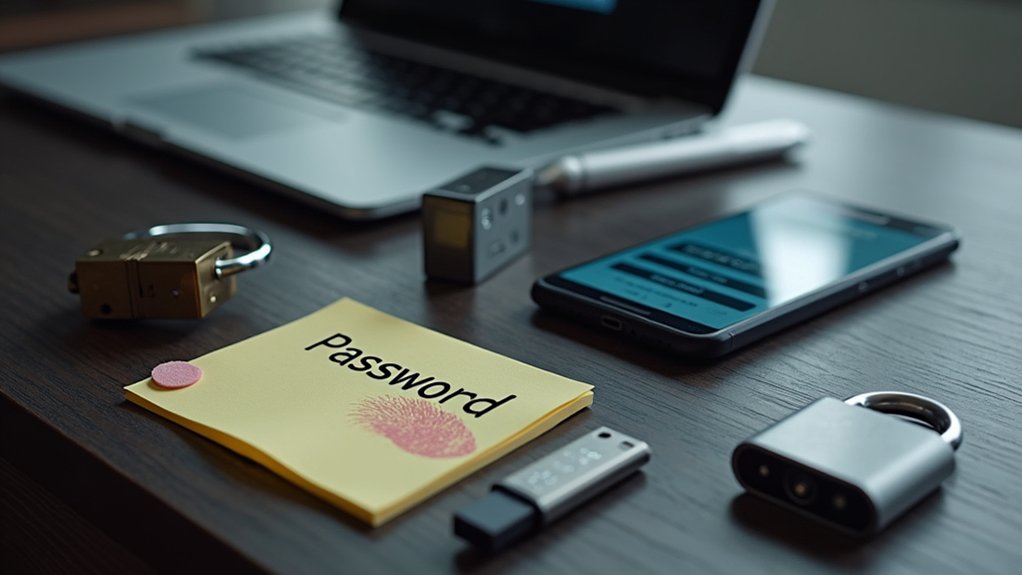
The most fundamental error in the realm of technology and software security is the reliance on easily guessable passwords. Despite decades of warnings from security experts, a significant portion of the global population continues to use “123456,” “password,” or “qwerty” as their primary gatekeepers. In 2025, the risk associated with these choices has intensified because of “Credential Stuffing” and “Brute Force” attacks. Hackers utilize massive databases of common passwords and personal information harvested from social media to automate their entry into your accounts.
A password like your pet’s name, your child’s birthday, or your favorite sports team is no longer secure. Advanced AI algorithms can now scrape your public social media profiles to create a “customized” list of potential passwords to try against your accounts. If you have ever posted a photo of your dog “Max” or mentioned your love for the “Lakers,” those terms are immediately added to the dictionary of words used to attack your profile. To safeguard your technology and apps, you must move toward “passphrases” rather than simple passwords. A strong passphrase is a long string of random, unrelated words—such as “CorrectBatteryHorseStaple”—which is easy for a human to remember but mathematically nearly impossible for a computer to crack. By combining these with upper and lowercase letters, numbers, and symbols, you create a barrier that would take modern supercomputers centuries to penetrate.
In our tech-driven world, the average person manages over one hundred different digital accounts. The sheer cognitive load of remembering a unique code for every app, smartphone service, and software platform often leads to the dangerous habit of password reuse. This is perhaps the most lethal mistake a user can make because it creates a “domino effect.” If a minor retail website where you once bought a pair of shoes suffers a data breach, and you used the same password there as you do for your primary email or bank account, the hacker now has the keys to your entire life.
Cybercriminals specifically look for these overlaps. Once they obtain a list of emails and passwords from a leaked database, they use automated bots to “stuff” those credentials into high-value targets like PayPal, Amazon, and banking portals. This means that your security is only as strong as the weakest website you have ever visited. To protect your online presence, you must treat every account as an isolated island. Using unique passwords ensures that if one service is compromised, the damage is contained to that single platform. In 2025, the interconnectedness of our apps means that a breach in a fitness tracker could lead to a breach in a professional LinkedIn account if the passwords are shared. Breaking the habit of reuse is the single most effective way to prevent a catastrophic total loss of digital identity.
Many users view a password as a “set it and forget it” tool. They may have created a strong password five years ago and feel a false sense of security. However, neglecting to update passwords regularly is a significant vulnerability. Data breaches are often not discovered until months or even years after they occur. This means your “strong” password could already be circulating on the dark web without your knowledge.
Hackers are constantly refining their databases, cross-referencing old leaks with new information to find patterns in how you change your passwords (such as merely changing a “1” to a “2” at the end). By updating your passwords consistently—at least every three to six months for sensitive accounts—you effectively “reset the clock” on any leaked data. This is particularly crucial for technology-driven accounts that hold sensitive financial or medical information. Setting a recurring reminder on your smartphone to review and refresh your most important passwords is a small effort that offers substantial peace of mind. In 2025, the speed of information exchange means that an old password is a “dead” password; keeping your credentials fresh is a vital part of active cybersecurity hygiene.
While a strong password is a necessary first layer, it is no longer sufficient on its own. Ignoring two-factor authentication (2FA) or multi-factor authentication (MFA) leaves a massive gap in your defenses. 2FA requires a second form of verification—something you know (your password) plus something you have (your smartphone or a security key). This creates a situation where even if a hacker successfully steals your password, they are still blocked from entering the account.
In 2025, the options for 2FA have evolved beyond simple SMS codes, which can sometimes be intercepted via “SIM swapping” attacks. For optimal security, users should utilize authenticator apps (like Google Authenticator or Authy) or physical hardware keys (like a YubiKey). These methods provide a time-sensitive, one-time code that is virtually impossible for a remote hacker to replicate. Enabling 2FA on your email, social media, and financial apps is the digital equivalent of adding a deadbolt to a door that already has a lock. It is an easy and incredibly effective way to protect your digital life from the most common types of unauthorized access. If a service offers 2FA and you choose not to use it, you are essentially leaving your back door wide open while you focus on the front.
The final mistake that many people make is a byproduct of trying to be organized. Recognizing that they have too many passwords to remember, they resort to storing them in insecure places. This includes writing them on sticky notes attached to their monitors, saving them in a “Passwords.docx” file on their desktop, or keeping them in a “Notes” app on their smartphone that isn’t password-protected. These methods are easily exploited by anyone with physical or remote access to your devices.
A plain text file is a goldmine for malware. If your computer is infected with a simple “infostealer,” the first thing it will do is scan your drive for files with “password” in the title. To solve the problem of memory without sacrificing security, you must use a reputable password manager. This technology acts as a digital vault, encrypting all your unique credentials behind a single, ultra-strong “master password.” Password managers can also generate complex, random strings for you, ensuring that you never have to think of a new password again. By using an encrypted manager, you significantly reduce the risk of data breaches and ensure that your passwords remain accessible only to you. In 2025, a password manager is not just a convenience—it is an essential piece of infrastructure for anyone navigating the modern internet.
The true strength of your digital security lies in the synergy of these practices. A strong password is good, but a strong password combined with a unique login for every site and active 2FA is nearly impenetrable. Cybersecurity in 2025 is not about one single “magic bullet” solution; it is about creating a multi-layered defense that makes you a “hard target.” Hackers are generally looking for easy victories. If they encounter an account with a complex passphrase and 2FA, they will likely move on to a more vulnerable target.
As technology continues to advance, we are seeing the rise of “Passkeys”—a new standard that uses your device’s biometric data (like FaceID or a fingerprint) instead of a traditional password. While this technology is becoming more common, the transition period means we must remain vigilant with our traditional password habits. By educating yourself on these common mistakes and taking proactive steps to correct them, you are taking control of your digital destiny. You are moving from a state of passive vulnerability to one of active, informed protection.
In conclusion, the security of your digital life depends on your willingness to abandon outdated and dangerous habits. By avoiding easily guessable passwords, breaking the cycle of password reuse, committing to regular updates, embracing two-factor authentication, and utilizing secure storage methods like password managers, you are building a formidable defense against the cyber threats of 2025. Each of these steps contributes to a comprehensive security posture that protects your finances, your reputation, and your privacy.
The digital world offers incredible convenience, but it also demands a higher level of responsibility from every user. You are the primary gatekeeper of your own information. Technology plays a massive role in our lives, but the human element remains the most common point of failure. By staying smart about your password practices and treating your digital credentials with the same care you would treat the physical keys to your home, you can navigate the modern web with confidence. Start today by changing your most important passwords and enabling 2FA on your primary email account; these small actions will yield a lifetime of security in an increasingly complex tech-driven world.


Unlock your Apple ID with ease—discover the essential steps to reset your forgotten password, but there’s one crucial detail you can’t miss.

Plagued by malware, your computer could suffer more than you realize—prepare to uncover the unexpected consequences lurking beneath the surface.

Discover the subtle clues that your iPhone may be infected and learn why ignoring these 7 signs could put your data at risk.

Uncover the safest way to remove a Trojan virus from your Mac before it causes serious damage—there’s one crucial step you can’t afford to miss.

Thinking your iPhone might be infected with malware? Discover the crucial manual checks you need to perform before your data is at risk.

Just noticed your phone acting strangely? Discover the five warning signs it might be hacked—number three will definitely surprise you.