Many iPhone users don’t realize how small daily habits can quietly drain battery health over time. It’s not always about charging more or less, everyday choices play a bigger role than most people expect. So what simple changes can actually protect your iPhone’s battery and keep it performing longer?
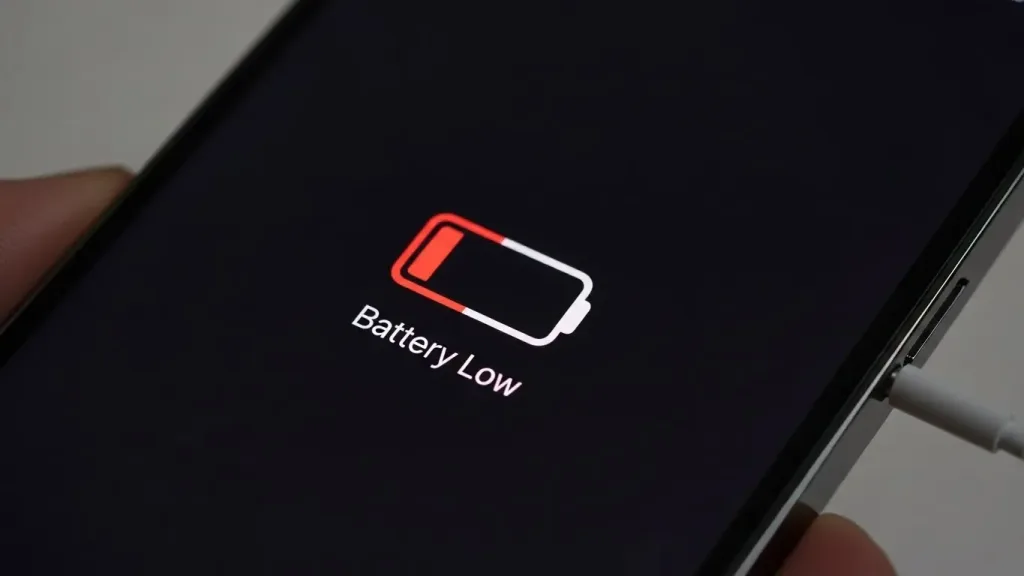
Taking care of your iPhone battery health is simpler than you think. (Image: ABWavesTech)
Understanding iPhone battery health is essential for anyone who wants their device to perform at its best. Your iPhone battery health shows how well your battery holds a charge compared to when it was brand new.
Over time, iPhone battery health naturally declines because lithium-ion batteries wear out after many charge cycles. By learning about iPhone battery health, you can better care for your device and understand why your battery mightn’t last as long between charges.
Keeping an eye on iPhone battery health helps you keep your phone running smoothly and efficiently, ensuring a longer-lasting and more reliable experience every day.
Monitoring battery usage and performance
When I want to keep my iPhone running efficiently, I make sure to monitor battery usage and performance regularly.
By checking the Battery section in Settings, I can see which apps drain the most power and spot any unnecessary background activity.
Monitoring battery usage and performance also helps me understand my battery’s peak performance capability to ensure it’s working at its best.
If iOS applies performance management, I get notified and can choose whether to disable it.
Staying on top of these details allows me to maintain my iPhone’s battery health and improve overall device efficiency over time.
Optimizing charging habits
Optimizing charging habits is key to keeping your iPhone battery healthy and lasting longer. When it comes to optimizing charging habits, I make sure not to let my battery drop to zero or stay fully charged at 100% for too long. Instead, I try to keep the battery level between 20% and 80% as much as possible.
Another important part of optimizing charging habits is unplugging the phone once it’s fully charged to avoid unnecessary wear. I also use the optimized battery charging feature, which learns my daily routine and helps protect the battery.
While quick charges are convenient, sticking to standard charging is the best way to maintain battery health over time.
Managing screen brightness and display settings
Managing your iPhone’s screen brightness and display settings is key to extending battery life. By lowering screen brightness or turning on Auto-Brightness, you can significantly reduce battery drain.
Using Dark Mode is another great tip, especially for devices with OLED screens, because black pixels consume less power.
Also, setting a shorter screen timeout helps keep the display from staying on longer than needed. Avoiding flashy wallpapers with lots of colors can further save energy.
Paying attention to your screen brightness and display settings not only boosts battery life but also keeps your iPhone comfortable and easy to use all day long.
Updating iOS for battery efficiency
Updating iOS regularly can significantly boost your iPhone’s battery life.
Apple includes important optimizations in each iOS update that help your device manage power more efficiently. By keeping your iOS up to date, you can fix bugs that stop background apps from draining your battery unnecessarily.
I always recommend checking for iOS updates and installing them promptly, especially if you notice your battery isn’t lasting as long. Staying on top of iOS updates ensures your phone runs smoother and your battery lasts longer between charges.
Using low power mode effectively
How can you make your iPhone battery last longer during a busy day? One great way is by using Low Power Mode effectively.
Low Power Mode helps extend your battery life by reducing background activity, disabling automatic downloads, and dimming the display slightly. This means you save power without losing important functions.
You can easily turn on Low Power Mode manually through Settings or the Control Center, and your iPhone will even remind you to activate it when the battery reaches 20%.
Using Low Power Mode effectively is especially helpful when you’re on the go and don’t have access to a charger.
Avoiding extreme temperatures
Avoiding extreme temperatures is essential for keeping your iPhone’s battery healthy and long-lasting. When your iPhone is exposed to extreme temperatures, its battery can degrade much faster than normal.
To protect your device, I always avoid direct sunlight on hot days and never leave my iPhone in cold places like a car overnight. High heat can cause the battery to swell and lose capacity, while freezing temperatures temporarily reduce performance.
If you’re out in extreme weather, try to keep your iPhone in a pocket or shaded area to maintain a safe temperature. By avoiding extreme temperatures, you help extend your iPhone’s battery life and keep your device running smoothly.
Identifying when to replace your battery
Since battery performance naturally declines over time, knowing when to replace your iPhone battery is key to keeping your device running smoothly.
I always check my battery health in Settings under Battery to see the maximum capacity percentage. When the battery capacity drops below 80%, or if I notice shorter battery life and unexpected shutdowns, it’s time to replace your iPhone battery.
Another sign is if your phone gets unusually warm during use or charging. Replacing your iPhone battery not only restores performance but also helps avoid sudden issues, ensuring your phone stays reliable and convenient for daily use.
Keeping an eye on your battery health and replacing your iPhone battery when needed is essential for the best tech experience.
Conclusion
Taking care of your iPhone battery health is simpler than you think. To maintain good iPhone battery health, monitor your battery usage regularly, adjust your charging habits, and optimize your screen settings. Keeping your iPhone updated with the latest iOS and using Low Power Mode when necessary also helps protect your iPhone battery health. If your battery capacity falls below 80% or you experience issues like unexpected shutdowns, consider getting a battery replacement. With these tips, your iPhone battery health will stay strong, keeping your device running smoothly and efficiently!