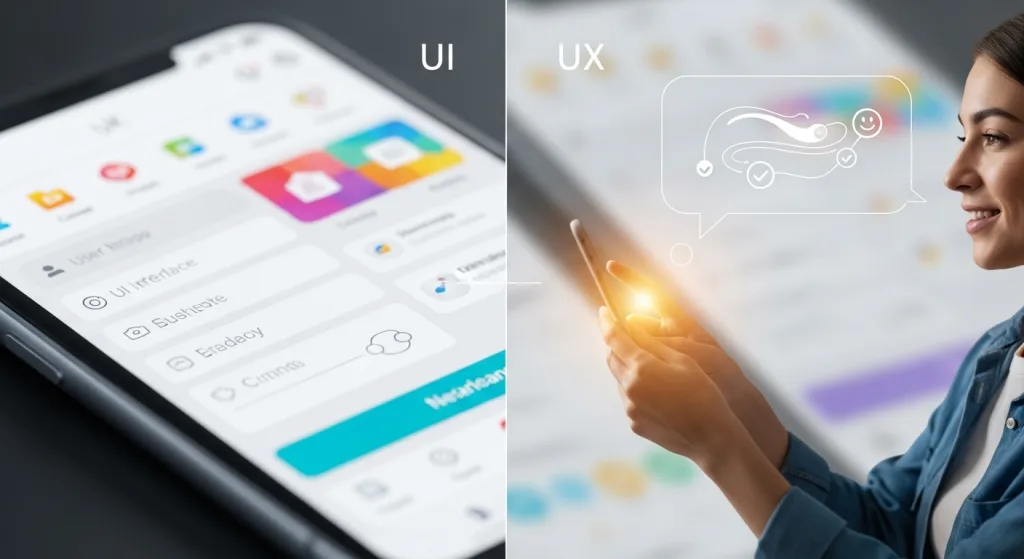
When you engage with a website or app, you’re delving into more than just the visual elements on your screen. The user interface (UI) captures your attention with its design and aesthetics, while the user experience (UX) ensures you can navigate smoothly and complete tasks efficiently. Many people mistakenly use UI and UX interchangeably, but each plays a distinct role in shaping your digital interactions.
If you’re curious about how the differences between UI and UX can affect your technology projects, apps, and software, there’s a lot more to explore. Understanding the nuances of UI and UX is crucial for anyone involved in the world of smartphones and other tech-related fields.
Defining UI: the visual and interactive elements
When you interact with a digital product, you’re engaging directly with its user interface (UI)—the visual and interactive elements like buttons, menus, icons, colors, and typography that shape your experience.
The user interface (UI) is crucial in how things look and how you interact with them on your smartphone, tablet, or computer screen. A well-designed UI guides your actions, makes navigation intuitive, and ensures that the product feels visually appealing and easy to use.
Whether it’s an app, software, or any other digital platform, the user interface (UI) plays a significant role in enhancing user satisfaction and engagement.
Understanding UX: crafting the overall user journey
When it comes to technology, apps, and smartphones, the user experience (UX) is crucial for success. UX, short for user experience, involves your complete journey with a product, from the first click to the final goal.
This journey is felt in every interaction, influencing how smoothly you navigate apps and use software. A well-designed UX ensures that everything feels intuitive and user-friendly.
Whether you’re exploring a new app or using a smartphone feature, user experience determines if you leave satisfied or frustrated.
Prioritizing user experience in technology can make all the difference in keeping users engaged and happy.
Key differences between UI and UX
Understanding the differences between UI and UX is crucial, especially in the tech world of apps, smartphones, and software.
UI, or user interface, is all about the visual elements—the buttons, colors, and typography you interact with.
Meanwhile, UX, or user experience, focuses on the overall feel of using the product, emphasizing usability, flow, and user satisfaction.
In essence, while UI designs what you see, UX crafts how you experience it.
How UI and UX work together
UI and UX may have distinct roles, but they collaborate closely to craft a seamless digital experience, especially in the realm of technology, apps, and software.
A visually stunning interface (UI) alone won’t suffice if the user experience (UX) falls short. When UI and UX work together in harmony, users find technology both appealing and intuitive.
By joining forces, these disciplines ensure that every interaction with apps and smartphones feels natural, efficient, and enjoyable.
Emphasizing the synergy between UI and UX can significantly enhance user satisfaction and engagement in the ever-evolving world of technology, apps, and software.
Common myths about UI and UX
Despite their growing importance in the technology and app development world, UI and UX are often misunderstood. Some people think that UI, or User Interface, is simply about making apps or software look pretty, while others assume UX, or User Experience, is solely focused on usability.
However, these misconceptions can lead to ineffective digital experiences. It’s crucial to understand that both UI and UX are distinct components, yet both are essential for creating engaging, efficient apps and software.
Ignoring one can severely impact how users interact with your app or smartphone technology. For a successful digital presence, always prioritize both UI and UX in your development strategy.
Tips for balancing UI and UX in your projects
Striking the right balance between UI and UX can truly elevate digital products, setting them apart from the competition.
To achieve this harmony, it’s essential to work closely with both designers and developers from the outset. Remember, the key is to prioritize user needs over mere aesthetics.
Testing should be done early and often, gathering valuable real-world feedback to refine both the user interface (UI) and user experience (UX).
Keep interfaces intuitive, ensuring usability isn’t compromised for flashy visuals. After all, a visually stunning design is ineffective if users can’t smoothly achieve their goals.
Conclusion
By now, you know that UI and UX aren’t interchangeable—they each bring unique strengths to your digital projects. UI design captures attention with its visual appeal, while UX design keeps users engaged through intuitive navigation and overall satisfaction. If you overlook either aspect, you risk losing users. So, make sure you balance both UI and UX when designing your next product.
When you combine great visuals with a smooth user journey, you’ll create experiences that people love—and keep them coming back. Whether you’re working on apps, smartphones, or software, understanding the difference between UI and UX is crucial for success in the tech industry.
José Lucas, with a background in Business Administration and Marketing, is passionate about content creation. A movie enthusiast and podcast lover, he shares knowledge with curiosity and clarity at Accessible Tech.