Published on September 2, 2025 at 10:00 AMUpdated on September 2, 2025 at 10:00 AM
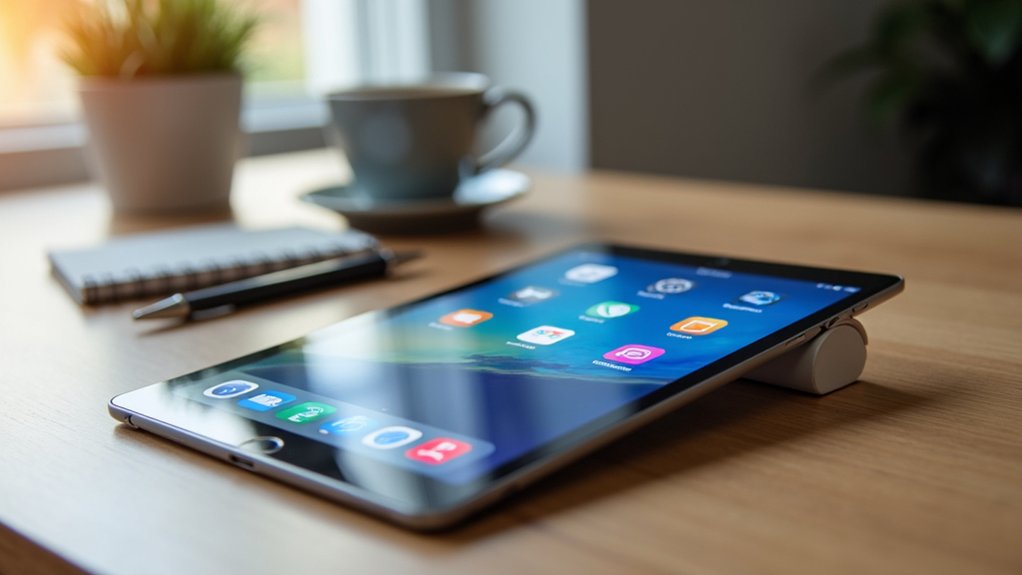
Looking to boost your productivity on a tablet? Whether you use an iPad, Android tablet, or a 2-in-1 device, the right apps can completely transform your workflow. Tablets today are more powerful and flexible than ever before, often rivaling laptops when paired with the perfect set of productivity tools.
From note-taking and task management to virtual co-working and visual brainstorming, certain apps stand out for helping users stay focused, organized, and efficient.
These top multitasking apps are especially useful if you rely heavily on your tablet for work, study, or personal organization. Each one offers unique strengths—some excel at collaboration, others at visual clarity, while others shine when handling fast-paced communication.
If you’re hoping to streamline your workflow and maximize your device’s capabilities, these tablet multitasking productivity apps are exactly what you need. Below, we take a deep dive into the top 5 apps that can revolutionize your productivity and enhance your multitasking performance on any tablet.
1. AFFiNE Pro: Revolutionizing Note-Taking and Collaboration
AFFiNE Pro is quickly becoming one of the most talked-about productivity tools for tablets—and for good reason. This advanced note-taking app merges the features of a digital notebook with the versatility of a collaborative whiteboard. The result is an all-in-one workspace ideal for brainstorming, research, planning, and team collaboration.
One of AFFiNE Pro’s standout features is its open-source foundation, which not only gives users more control but also allows the app to function offline. This is perfect for students, writers, team leaders, or anyone working in environments where stable internet access isn’t guaranteed.
Despite being offline-friendly, the app also supports real-time collaboration, meaning multiple users can edit documents simultaneously with incredibly smooth syncing.
Many early reviewers compare AFFiNE Pro to a hybrid between Craft, Notion, and digital whiteboard apps—combining structured notes, freeform drawing spaces, and powerful project management elements. You can map out ideas visually, store research, or create flowcharts, all while keeping everything neatly interconnected.
For tablet users who rely heavily on pen input, AFFiNE Pro is especially effective. Its design prioritizes fluid hand-written notes, intuitive gestures, and visually rich layouts. With strong potential to become one of the leading productivity apps on the market, AFFiNE Pro is perfect for creators, students, teams, and professionals who want an innovative, flexible workspace.
2. Tatem Email: Speed and Reliability in Your Inbox
Managing email efficiently is essential for multitasking—and Tatem Email has quickly positioned itself as a premium, high-performance email solution. Designed with speed and seamless workflow in mind, Tatem Email competes with top-tier tools like Superhuman but offers its own refined experience optimized for tablets.
At its core, Tatem Email focuses on delivering fast loading times, instant search results, and a clean interface that minimizes distractions. This is ideal for professionals who receive large volumes of emails and need to process them quickly. The app includes intelligent shortcuts, smart filtering, and gesture-based actions that make navigation incredibly intuitive on a touchscreen.
What sets Tatem Email apart is its attention to small details—animated interactions, crisp typography, and thoughtfully placed buttons ensure that users can jump between replies, drafts, and inbox categories with minimal friction. The app also integrates well with calendars, productivity suites, and cloud tools, further enhancing tablet multitasking.
Whether you use your tablet for business communication, client management, or daily organization, Tatem Email delivers a smoother, faster, and more enjoyable inbox experience. Its rising popularity among productivity enthusiasts proves that email apps can still innovate.
3. Superlist: The Future of Task Management
Superlist has gained massive attention—even while still in beta—as one of the most promising task management apps for tablets. Built by some of the creators of Wunderlist, Superlist focuses on simplicity, collaboration, and beautifully designed lists that keep you motivated and organized.
What makes Superlist unique is its ability to integrate tasks, notes, and team communication into a single interface. Whether you’re organizing personal to-dos, planning projects, or coordinating with a team, Superlist provides a streamlined structure that helps you prioritize effectively. Early testers have praised its speed, fluid animations, and cloud syncing across all devices.
On tablets, Superlist becomes even more powerful thanks to its multitasking-friendly layout. You can drag items between lists, attach documents or links, create shared lists with coworkers, and even convert emails into tasks. Its minimalist design reduces overwhelm and helps you focus on what truly matters.
Superlist is ideal for freelancers, students, entrepreneurs, and anyone who needs a modern, flexible task manager. Its intuitive nature and strong future potential make it a standout in the productivity landscape.
4. Flown: Enhancing Productivity Through Virtual Co-Working
If you struggle with focus—especially when working alone—Flown might be the perfect productivity companion. This innovative platform is built around virtual co-working, a concept that brings people together online to work side-by-side in real time.
Users join guided focus sessions where everyone sets a goal, works silently, and checks in at the end. This creates accountability, structure, and motivation—something many remote workers and individuals with ADHD find incredibly beneficial.
Flown offers two types of sessions:
Flocks: Live, interactive sessions with a host
On-Demand Flows: Pre-recorded focus sessions available anytime
The app also offers soundscapes, mindfulness exercises, and productivity challenges, making it a comprehensive focus-building ecosystem.
On tablets, Flown integrates seamlessly with other apps—allowing you to watch a co-working session in split screen while taking notes, writing reports, or organizing tasks. The result is a powerful blend of flexibility and focus.
If you’re looking for structured productivity without pressure, Flown can transform the way you work.
5. Scrintal: Visual Note-Taking Redefined
Scrintal is a dream come true for visual thinkers, students, strategists, and anyone who processes information best through mapping and connecting ideas. Unlike traditional note-taking apps that rely mostly on linear text, Scrintal combines visual boards with interconnected notes, allowing you to literally see your thoughts come together.
With Scrintal, you can create nodes, drag them across the canvas, link concepts, add images or references, and move freely between high-level overviews and detailed notes. This helps you make connections you might otherwise overlook and gives your projects more clarity and structure.
On tablets, especially those with stylus support, Scrintal becomes even more powerful. You can sketch diagrams, annotate notes by hand, rearrange elements with simple gestures, and expand your board as your ideas grow.
It’s perfect for researchers, students, content creators, UX designers, and anyone who needs a dynamic way to organize information. Scrintal turns knowledge mapping into an intuitive, creative experience.
Conclusion
These top 5 tablet multitasking productivity apps offer powerful ways to elevate your workflow and unlock your tablet’s full potential. Whether you’re optimizing note-taking with AFFiNE Pro, managing communication efficiently with Tatem Email, organizing your tasks through Superlist, boosting focus using Flown, or elevating creativity with Scrintal, each app brings unique strengths to the table.
By integrating these tools into your daily routine, you can enhance your productivity, improve multitasking, and transform your tablet into a truly professional, versatile workspace. Try them out and take your efficiency to a whole new level!